How to protect passwords stored in Google Chrome?
Posted the 14/08/2019 13:50
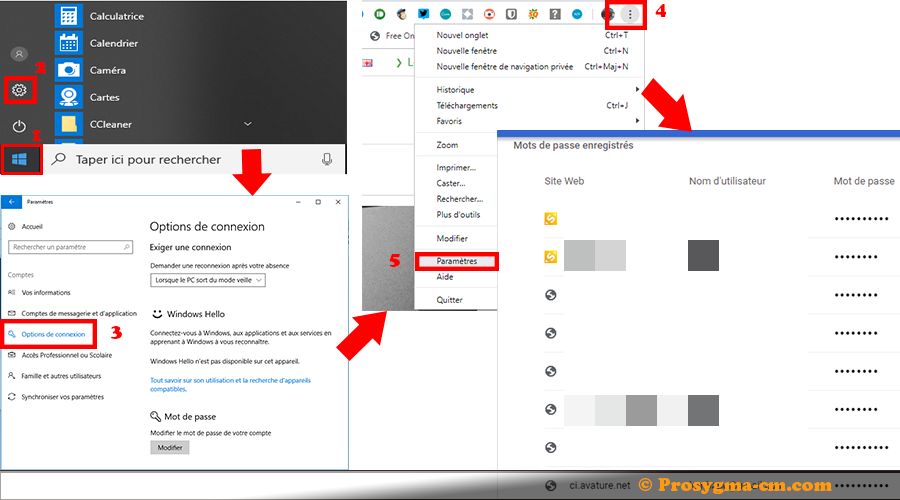
1. Click on "Start" "Settings", then go to Accounts, and enter Login Options.
2. Click on "Password" and press Add. Enter a password, confirm it, and add a Password Indication.
3. Click on Next, then on Finish.
To see all your passwords on Google Chrome:
4. Click on the three buttons, below the close button, then on Settings.
5. In the window that opens, click on "Passwords".